
Blog
Phishing: the 5 signs staff miss

The phishing signs staff miss most are a sender name that looks right but an address that is not, a message that arrives inside a real conversation, a plausible reason for urgency, a login page that looks familiar, and quiet changes to mailbox rules afterwards. Spelling mistakes are the least reliable sign now. Teach people to check the address, the context and the link, and to report anything doubtful quickly.
These are patterns we see across the kinds of mail that reach small and mid-sized businesses. They are general, and not tied to any one organisation.
Why do staff miss phishing emails?
Old advice said to look for bad grammar and strange logos. Attackers now use clean language, copied branding and, increasingly, machine-written text. People are also busy, reading on a phone and clearing an inbox quickly.
Good training does not ask staff to be suspicious of everything. It gives them five specific things to check, and a fast, blame-free way to report.

Sign 1: Is the sender address really who it claims to be?
The display name is easy to fake. It can say a colleague’s name, a bank or a supplier while the real address behind it belongs to someone else.
Look for:
- A name that matches, with an address from an unrelated or free mail service.
- A domain that is one character off, such as a swapped letter, a doubled letter or
rnin place ofm. - A real company name placed in the subdomain or in the part before the
@. - A reply-to address that differs from the sender.
On a phone, the app often shows only the display name. Tap the name to see the full address. Make it a habit before acting on anything that involves money, passwords or files.
Sign 2: Does it arrive inside a real conversation?
Thread hijacking is one of the more convincing tricks. An attacker who has taken over a real mailbox replies to a genuine, older conversation. The subject line matches. The people on the thread are real. The message adds a short line and a link or an attachment.
This works because staff trust context more than content. A few checks help:
- Does the tone match how this person normally writes?
- Is the request out of place for this thread, such as a payment detail or a “review this document” link in a thread about something else?
- Can you confirm with a short call or a message on a different channel?
If a trusted colleague suddenly sends something odd, treat it as a possible sign that their account has been compromised, and tell your IT contact.
Sign 3: Is it pushing you to act now?
Urgency is the engine of nearly every scam. The reasons change, but the pressure is the same:
- A payment is overdue or has failed.
- An account will be closed or locked.
- A parcel or document is waiting.
- A senior person needs a favour done quietly and fast.
- An invoice or contract needs a response today.
A real organisation can usually wait ten minutes while you check. Make it a team rule: any request involving money, bank details or credentials gets a second check by a different channel, no matter who appears to be asking.
Sign 4: Does the link lead to a sign-in page you did not ask for?
Many phishing emails exist only to send you to a page that looks like a familiar sign-in screen. It may copy the logo, the colours and the wording of a well-known service.
Checks that work:
- Hover over the link on a computer, or press and hold on a phone, and read the real address before opening.
- Read the address from right to left up to the first single slash. The part just before it is the real site.
- Do not sign in from a link in an email. Open the service yourself from a bookmark or by typing the address.
- Treat unexpected file-sharing notices with care. A “shared document” that asks you to sign in again is a classic.
- Use a password manager. It will not offer to fill a password on a site that is not the real one, which is a useful warning in itself.
Two-factor sign-in limits the damage, but it is not perfect. Some attacks relay the code in real time. Phishing-resistant methods, such as passkeys and hardware keys, handle this much better.
Sign 5: What changed in the mailbox afterwards?
This is the sign almost nobody checks, and it is the one that does the most lasting harm. After an account is taken over, attackers often add hidden mailbox rules. Common examples:
- Move incoming mail from certain senders to a rarely used folder, such as Archive.
- Forward copies of mail to an outside address.
- Mark replies as read, or delete them, so the real owner never sees the answer.
The attacker can then keep reading, and can run payment scams without the owner noticing. If a colleague says “I never got that reply”, or a customer says “I answered your email”, check the mailbox rules and the sign-in history before anything else.
IT should review forwarding rules and inbox rules regularly, alert on new external forwarding, and review unusual sign-in locations.
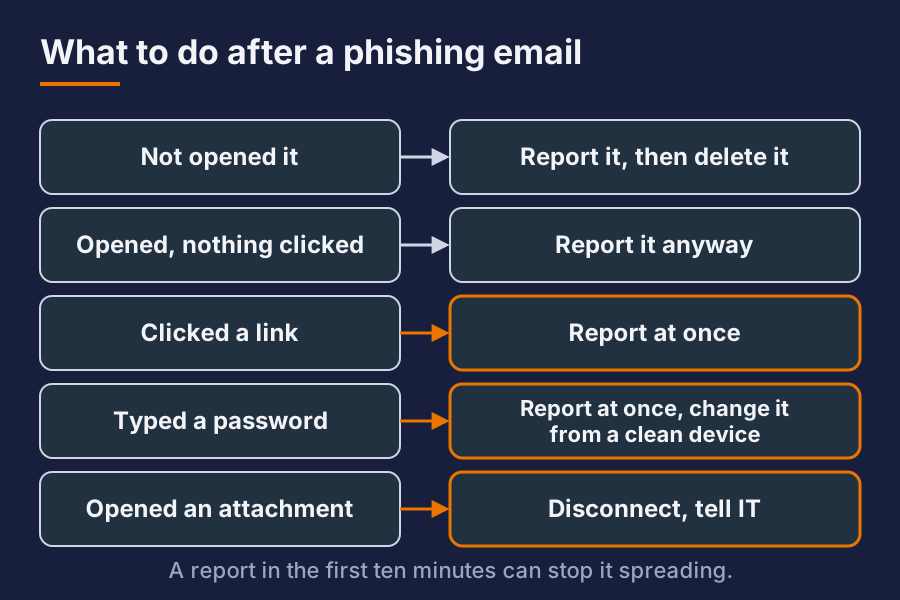
What should staff do when they spot one?
Keep it simple, and keep it blame-free.
| Situation | Action |
|---|---|
| Not opened it | Report it to IT, then delete it |
| Opened it, nothing clicked | Report it anyway |
| Clicked a link | Report at once. Do not wait to see what happens |
| Typed a password | Report at once. Change that password from a clean device |
| Opened an attachment | Disconnect from the network and tell IT |
Speed matters more than perfection. A report in the first ten minutes can stop a whole company-wide problem. A staff member who hides a click because they fear punishment makes it worse.
How can the business make this easier?
Training alone is not enough. Back it up with controls:
- Mail filtering that checks sender authentication and quarantines look-alikes.
- Two-factor sign-in for everyone, with phishing-resistant methods for administrators.
- A one-click “report phishing” button in the mail client.
- Regular, short awareness sessions and simulated phishing, framed as practice and not as a trap.
- A written process for changing bank details and approving payments.
We run our own mail protection and our own staff checks, so these are measures we rely on ourselves.
Short answer
What is the most common phishing sign people miss? A familiar display name over a wrong address. Always check the real sender address before acting, especially on a phone.
Is phishing easy to spot because of spelling mistakes? No. Many attacks are well written. Judge them by the sender address, the context, the urgency and the link, not by the grammar.
What should I do if I clicked a phishing link? Report it to IT straight away, and change your password from a different, clean device. Speed limits the damage, and nobody should be blamed for reporting.
Want this set up for your business? Ask for a quote.