
Blog
Choosing a vehicle booking system for your fleet

Choose a vehicle booking system by starting with how your vehicles are actually booked, then check four things: it prevents double bookings, it handles your approvals and handovers, it fits your branding and workflow, and you can get your data out. Features beyond that are nice to have. A spreadsheet works until about a handful of vehicles, and after that the mistakes cost more than the software.
This guide is for rental operators, tour companies, transport firms and organisations with internal pool vehicles.
Do you need a booking system at all?
Probably, if any of these are true:
- Two people have booked the same vehicle before
- Nobody is sure where a vehicle is or who has the keys
- Damage disputes happen and there is no record of the condition at handover
- Service and licence dates are tracked in someone’s head
- Customers or staff ask by phone or message and a person has to check a sheet
If you have three vehicles and one dispatcher, a shared calendar may be enough. Past that, a purpose-built system pays back in fewer errors and less admin.
What problem are you solving?
Fleets differ. Be clear which one you run:
| Type | Main need |
|---|---|
| Rental or tourism | Customer-facing booking, availability, payments or deposits, handover checks |
| Internal pool | Staff requests, approval by a manager, cost allocation |
| Transport and logistics | Assigning vehicles and drivers to jobs, service schedules |
| Mixed | Both public and internal bookings in one place |
A system built for rentals can feel clumsy for internal approvals, and the reverse is also true. Choose for your main use.
Which features matter most?
Rank these by your own needs. These are the usual ones:
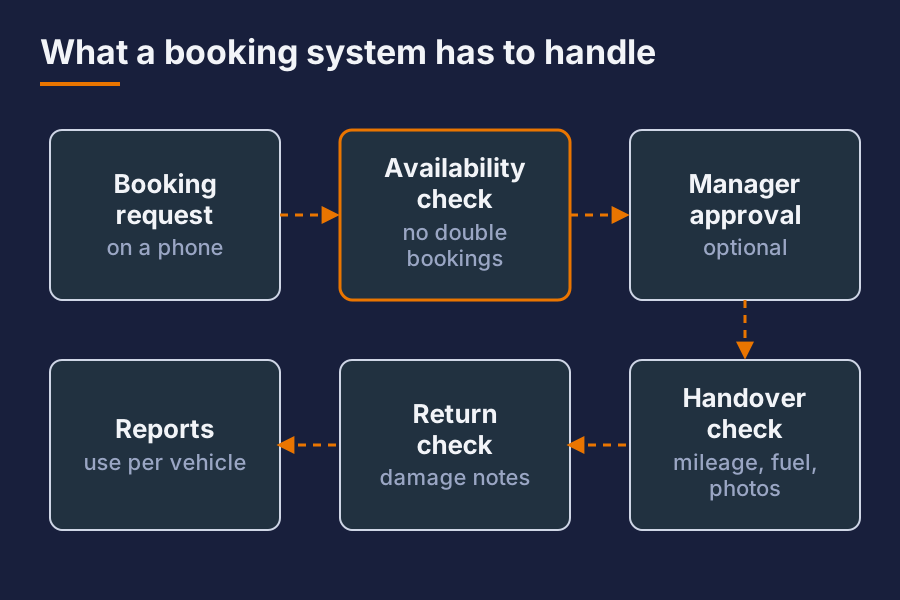
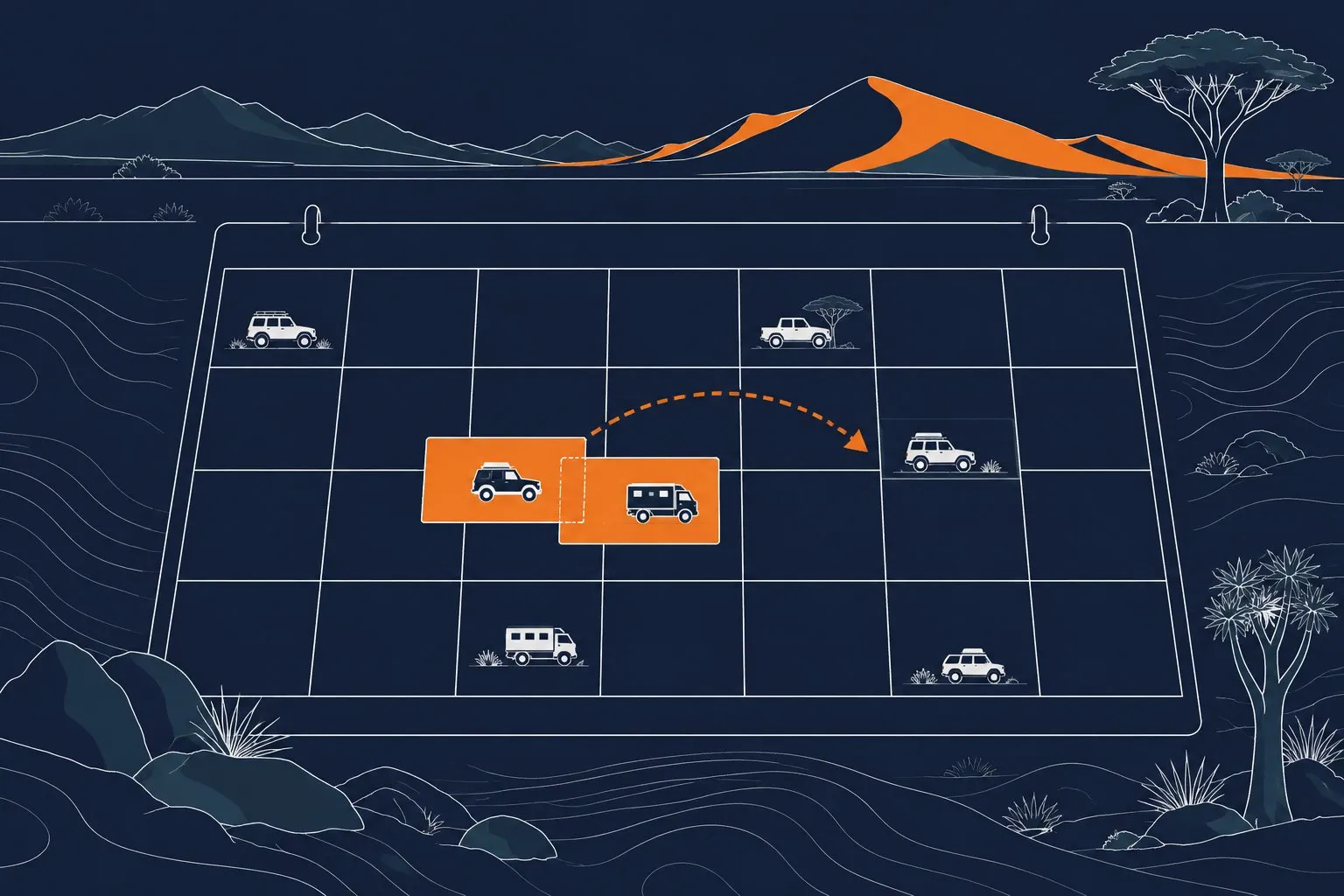
- Availability and conflict prevention. The system must refuse a double booking, including buffers for cleaning and service.
- Booking flow. Easy for customers or staff on a phone, with few steps.
- Approvals. Optional manager sign-off for internal bookings.
- Handover and return checks. Mileage, fuel, damage notes and photos with timestamps.
- Vehicle records. Service dates, licence and insurance expiry, with reminders.
- Drivers. Licence checks and who is allowed to drive which vehicle.
- Reports. Utilisation per vehicle, cost per kilometre, bookings per month.
- Notifications. Confirmations and reminders by email or message.
- Roles and permissions. Who sees what, who can change what.
Do not pay for features you will not use in the first year. Do check that the system can grow into them.
What should you ask a vendor?
Take these to every demo:
- Can I try it with my own vehicles and a real booking scenario?
- What happens when two people book the same vehicle at the same moment?
- Can I export all my data, in a readable format, at any time?
- Where is my data stored, and who can access it?
- Can the system carry my brand, name and domain?
- How are updates delivered, and do they ever break my setup?
- What happens to my data and bookings if I leave?
- What is the support route, and what are the hours?
- How does it work on a slow mobile connection?
The answers about data export and leaving tell you a lot. A vendor who makes leaving hard is selling lock-in.
Should you choose hosted or self-hosted?
Both are valid.
Hosted by the vendor is the quickest to start. You pay per vehicle or per month, and the vendor handles updates. The trade-off is less control, and you rely on their pricing and survival.
Self-hosted or hosted for you under your own domain costs more to set up. You gain control of the data, the branding, and where it runs. It suits businesses that want a white-label look, have data rules to follow, or want to avoid per-vehicle pricing as the fleet grows.
Ask which model the vendor offers and whether you can switch later.
What are the common traps?
- Choosing on the demo, not the daily work. Run through a normal day, including cancellations and changes.
- Ignoring mobile. Drivers and customers use phones, often on poor connections.
- Over-complex setup. If it takes weeks to configure, staff will not use it.
- Per-user pricing that punishes growth. Work out the cost at twice your current fleet.
- No data export. You will want your records one day.
- No offline plan. Decide what happens when the internet is down at a pickup point.
- Skipping the pilot. Start with a few vehicles for a month, then roll out.
How do you roll it out?
- Write down your current booking process, including the exceptions.
- Pick two or three must-have features and test those first.
- Load a small set of vehicles and run a pilot.
- Train the people who handle bookings and handovers, and keep the guide to one page.
- Switch over fully once the pilot works, and retire the spreadsheet on a set date.
Keep the old records until you are sure everything moved.
Where does Anything Fleet fit?
We build Anything Fleet, a white-label vehicle booking app. It carries your brand and can run on infrastructure we look after for you. We also run it ourselves. If you want a system that looks like your own business and keeps your data in your hands, it is one option to put on your shortlist next to the others.
Short answer
What is the most important feature in a fleet booking system? Reliable conflict prevention. If it lets two people book the same vehicle, nothing else makes up for it.
Can a spreadsheet replace a booking system? For a few vehicles and one coordinator, yes. Once several people book, or customers book online, errors and disputes become the real cost.
Should we pick a hosted or self-hosted system? Pick hosted for speed and low effort. Pick self-hosted or white-label when you need control of data and branding. Check export and exit terms either way.
Want this set up for your business? Ask for a quote.